
By qlk.to · Updated
Product guidance with labelled examples. Figures in worked examples are illustrative.
Write a placement plan before launch
A placement identifies where a link will be shared. Use separate links for the newsletter button, SMS send, social post and each printed QR location. A single link used everywhere loses that distinction.
Keep a common campaign label, but use different placement names and destination-side labels. The downloadable campaign-link plan includes example rows and blank spaces for the addresses you actually publish.
| Channel | Placement name | Destination labels |
|---|---|---|
| newsletter_primary | source=newsletter; medium=email | |
| SMS | sms_october | source=sms; medium=sms |
| window_poster | source=window_poster; medium=qr | |
| Social | social_launch | source=social; medium=social |
Check all routes with a launch checklist
Use the same intended offer when comparing placements. Prepare UTM labels before saving each destination, publish the links, then test the actual email, message, post or print proof.
Record launch dates, changes to offers, pauses and internal tests. These notes explain why a chart may change. Keep each channel’s exposure information, such as delivered messages or distributed leaflets, in the same review worksheet.
Read the worked example as link activity
Suppose the same UTC reporting window shows 220 analysed email clicks, 120 SMS clicks and 84 poster-link clicks. The email placement has the highest recorded total. That is a useful observation, but it is not a conclusion about efficiency or revenue.
If the email reached 10,000 recipients and the SMS reached 2,000, their exposure was different. A poster’s exposure may be an estimate. Repeated openings, preview software and different destination-side consent rates can also affect comparisons.
| Placement | Analysed clicks | Evidence to bring to the review |
|---|---|---|
| Newsletter | 220 | Delivered emails, send time and confirmed outcomes |
| SMS | 120 | Delivered messages, send time and cost |
| Window poster | 84 | Display dates, location and print cost |
Compare the same window and inspect the detail
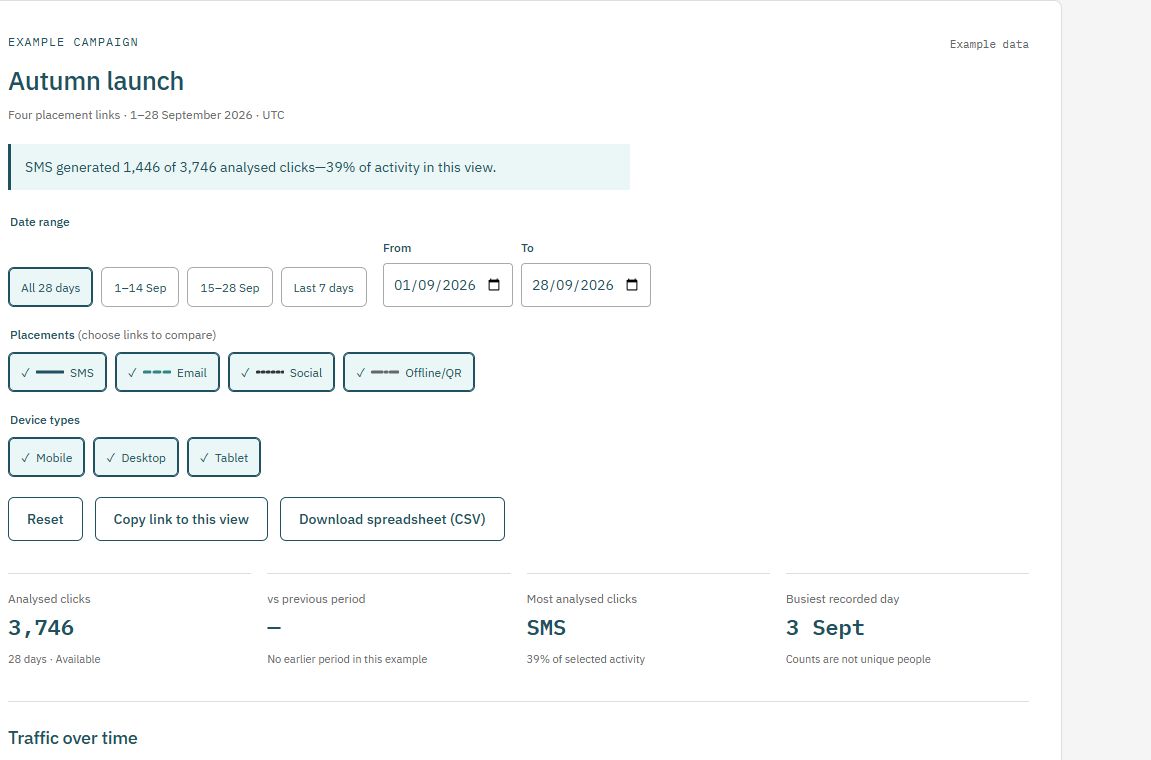
Choose the campaign and dates in Reports, using the same UTC window for every placement. Inspect daily activity and devices before interpreting totals. Reporting can take a little time to update; missing-data notices matter.
Pro and Business support comparisons between periods or campaigns and daily CSV exports. Export figures alongside your own channel-cost and outcome data when preparing a review. Clearly label the source, reporting period and meaning of each measure.
Write a decision that the evidence supports
A useful conclusion might be: “The SMS placement received most of its recorded activity on send day; next time we will test a different send time.” A claim that SMS generated more sales needs confirmed sales attribution, not just clicks.
Choose one change for the next launch, keep the placement naming consistent and compare again. The public analytics demo is a labelled example you can use to practise filtering before working with your own campaigns.
Explore the report yourself
Use a consistent placement plan
Prepare destination labels in the UTM builder, then save the completed destination when creating your qlk.to link. Download the campaign-link plan (CSV) to record your published addresses and launch dates.
Check current plans and limits before a live send or print run. The Free sample’s links stop after 30 days from signup unless you upgrade.